The Three Buckets
A simple way to think about AI tools for research administration. You don't need to master all three. Start with one.
The key insight: You don't need to be an AI expert. You need to be a domain expert. Take one task you dread, strip the sensitive data, and see what happens.
The Framework
When I started integrating AI into my research administration work, I found it helpful to think about tools in three categories. Each serves a different purpose, and you can start with whichever matches your biggest pain point.
🤖Assistants
Automate the monotony
These are AI tools that handle repetitive tasks you do over and over. They take something that eats your time and make it faster.
Examples I've built:
- NOFO Analyzer — Digests funding opportunity announcements and pulls out what matters for faculty
- Budget Reviewer — Checks budgets against university policies before they go to Grants & Contracts
- Biosketch Helper — Helps faculty write mentoring-focused personal statements for training grants
Start here if: You have a specific task you dread doing every week.
🛠Builders
Create tools through plain language
This is where it gets interesting. You describe what you want in plain English, and AI helps you build it. No coding background required. I call this “vibe coding.”
Examples I've built:
- Program Forecasting Tool — Lets leadership toggle variables and see 10-year cost projections
- Research Day App — A conference app I built in an afternoon when I realized the printed program wasn't serving anyone
- This Website — Built through conversation with AI, not traditional web development
Start here if: You have an idea for a tool that doesn't exist yet.
📊Visualizers
Learn new capabilities with AI as your guide
AI becomes your tutor for learning new tools and techniques. Instead of spending days figuring out software, you learn alongside AI in hours.
Examples I've built:
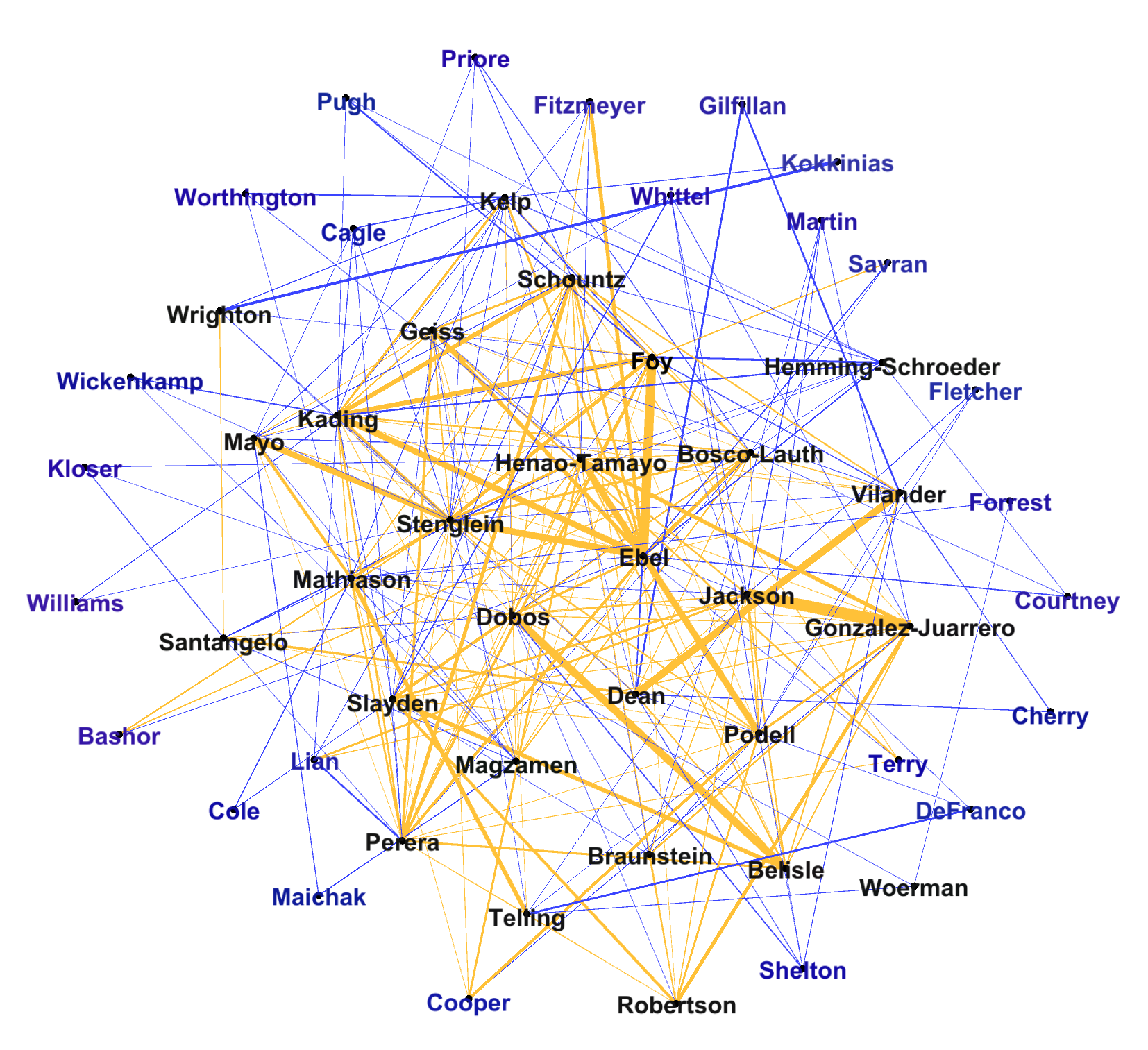
- Network Analysis — For a T32 grant, I mapped faculty collaborations using Gephi (software I'd never touched) in 3-4 hours
- Data Visualizations — Creating compelling graphics from complex datasets
- Learning New Platforms — AI walks you through unfamiliar tools step by step
Example: Faculty collaboration network for an infectious disease T32, built in Gephi with AI guidance
Start here if: You need to learn something fast and don't have time for tutorials.
Getting Started
You don't need expensive enterprise software or IT department approval to start. Here's the honest truth:
- Cost: $20/month for ChatGPT Plus, Claude Pro, or Gemini Advanced gets you access to the best models. Think of it as a salary share — for the time it saves and the skills it unlocks, that's a tiny fraction of your take-home pay.
- Time investment: Start with 30 minutes on one task. See what happens. If it fails, try something else.
- Security: Don't put sensitive data into consumer AI tools. If your university has a secure AI platform, use that for anything confidential.
The Real Payoff
When I started, I thought AI would automate tasks and give me free time. That happened — I freed up about 8-10 hours a week. But here's what I didn't expect: I immediately reinvested that time into work I'd always wanted to do but never had capacity for.
The real payoff isn't the time saved. It's the cognitive space to finally tackle the projects that have been sitting in the back of your head for years.
Where This Leads
The three buckets are where I started. But the tools keep evolving, and so has what's possible. What began as automating individual tasks has grown into building entire systems — conference platforms, websites, tools that serve whole teams instead of just me.
You don't need to go there yet. Start with one bucket, one task, one quick win. The rest will follow when you're ready.
Try It: Virtual Study Section
Want to see an “Assistant” in action? I built a set of AI reviewer personas that simulate study section feedback on grant proposals. It's free, and you can try it right now.